- 2024.12.13 (금)
1. git bash로 github와 연결
2. 이슈해결
- 컴포넌트가 프레임 밖으로 돌출
- 컴포넌트와 컴포넌트 간의 여백 간격 조정
3. 버튼 클릭 시 애니메이션 추가
1. gitbash로 github와 연결
깃허브에 생성한 Repository를 gitbash를 통해 github와 연결
2. 연결을 원하는 소스 폴더를 마우스 우측클릭으로 Git Bash Here로 열거나 Gitbash를 통해 branch하고자 하는
directory로 이동
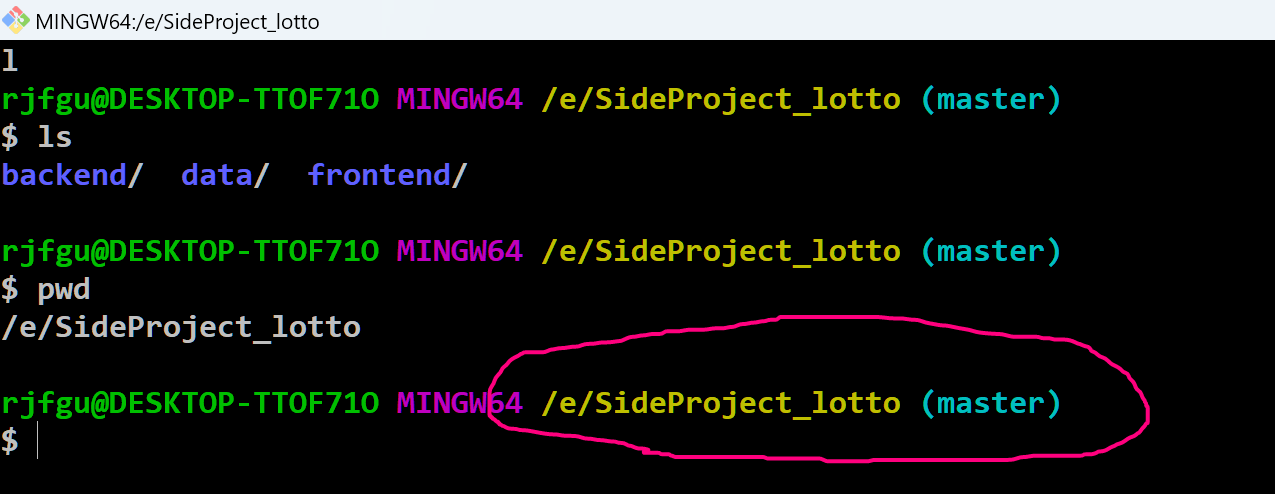
3. 해당 Directory에서 git init 명령어를 통해 로컬 저장소를 만들어 줌
git init
# Initialized empty Git repository in E:/SideProject_lotto/.git/
4. git status 명령어를 통해 브랜치의 커밋 상태를 확인할 수 있음
- 빨간색으로 나타나는 파일들은 모두 add 되기전
- 초록색으로 바뀌면 add가 된 상태로 커밋을 하기 전 단계임
5. git commit -m "커밋메세지" 를 입력해주면 커밋메세지와 함께 커밋이 완료 됨.
6. 아까 만든 저장소의 주소를 복사 후 git remote add origin [저장소의 URL] 명령어를 실행해 줌
7. 그 후 git remote -v 명령어를 실행하면 원격 연결이 완료 됨
8. 마지막으로 git push origin master 명령어를 이용하면 아까 커밋했던 파일들이 깃헙 저장소에 push되는 것을 확인할 수 있음.
2. 이슈 해결
- CSS의 조정이므로 추후 완성 후 최종 CSS의 파일만 올리겠음
3. 버튼 클릭 시 애니메이션 추가
- 1회 추첨 시
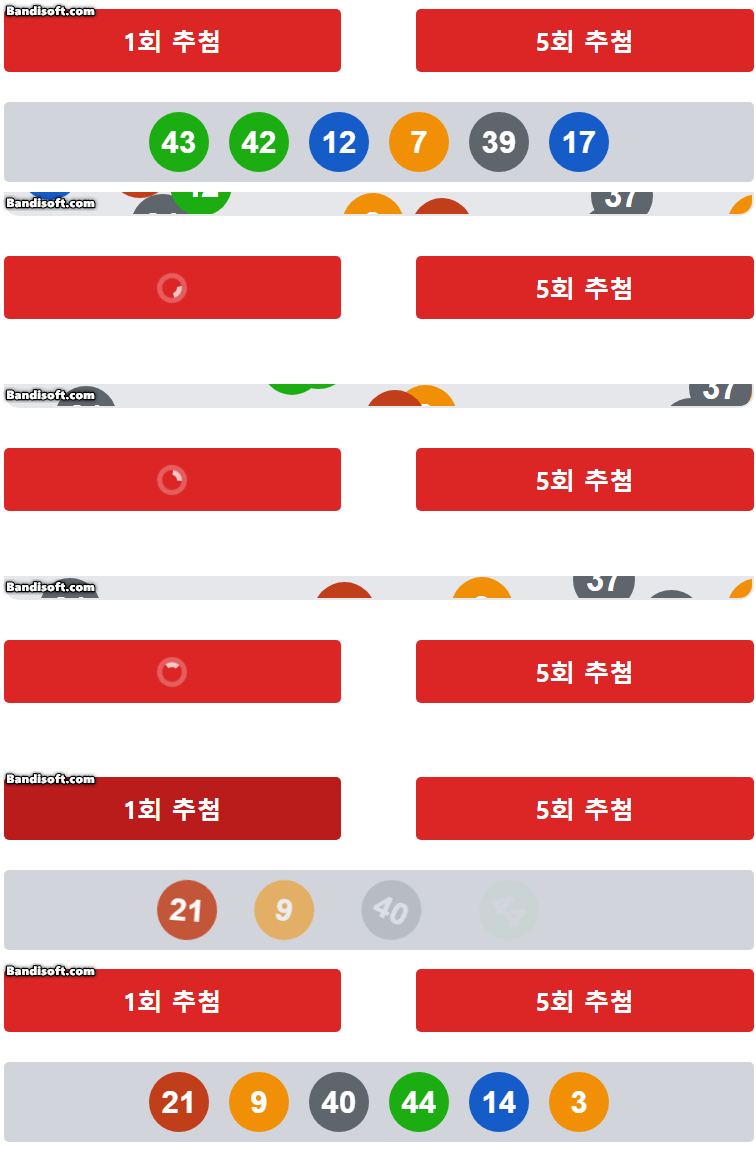
- 5회 추첨 시

- 해당 애니메이션을 만들기 위해 작성한 코드
// Button.tsx
import React, { useState } from "react";
import "./Button.css";

interface ButtonProps {
  selected: "normal" | "special";
}

// SVG 파일 동적 임포트
const svgs = import.meta.glob("../assets/ball_*.svg", {
  eager: true,
}) as Record<string, { default: string }>;

// 숫자를 기반으로 파일 경로를 반환하는 함수
const getImageByNumber = (num: number) => {
  const filePath = `../assets/ball_${num}.svg`;
  return svgs[filePath]?.default || null;
};

function Button({ selected }: ButtonProps) {
  const [result, setResult] = useState<string | null>(null);
  const [loading, setLoading] = useState<"none" | "singular" | "plural">(
    "none"
  );

  const handleClick = async (drawCount: number) => {
    const buttonType = drawCount === 1 ? "singular" : "plural";
    setLoading(buttonType); // 로딩 상태 활성화
    setResult(null); // 기존 결과 초기화

    try {
      let endpoint = "";
      if (selected === "normal") {
        endpoint =
          drawCount === 1
            ? "http://localhost:5000/api/single-draw"
            : "http://localhost:5000/api/multiple-draws";
      } else if (selected === "special") {
        endpoint =
          drawCount === 1
            ? "http://localhost:5000/api/draw-limited"
            : "http://localhost:5000/api/draw-limited-multiple";
      }

      console.log("Requesting API endpoint:", endpoint);

      // 3초 지연 후 API 요청 처리
      await new Promise((resolve) => setTimeout(resolve, 2000));

      const response = await fetch(endpoint);
      if (!response.ok) {
        throw new Error(`HTTP error! status: ${response.status}`);
      }

      const data = await response.json();
      setResult(JSON.stringify(data, null, 2));
    } catch (error) {
      console.error("API 호출 중 오류 발생:", error);
      setResult("오류 발생: 데이터를 가져올 수 없습니다.");
    } finally {
      setLoading("none"); // 로딩 상태 비활성화
    }
  };

  return (
    <div className="w-[800px] flex flex-col items-center space-y-6">
      <div className="w-[600px] flex justify-between">
        <button
          onClick={() => handleClick(1)}
          className="w-[270px] h-[50px] bg-red-600 text-white py-2 rounded hover:bg-red-700 transition text-[20px] font-bold flex justify-center items-center"
          disabled={loading !== "none"} // 다른 버튼 클릭 방지
        >
          {loading === "singular" ? (
            <svg
              className="animate-spin h-6 w-6 text-white"
              xmlns="http://www.w3.org/2000/svg"
              fill="none"
              viewBox="0 0 24 24"
            >
              <circle
                className="opacity-25"
                cx="12"
                cy="12"
                r="10"
                stroke="currentColor"
                strokeWidth="4"
              ></circle>
              <path
                className="opacity-75"
                fill="currentColor"
                d="M4 12a8 8 0 018-8v4a4 4 0 00-4 4H4z"
              ></path>
            </svg>
          ) : (
            "1회 추첨"
          )}
        </button>
        <button
          onClick={() => handleClick(5)}
          className="w-[270px] h-[50px] bg-red-600 text-white py-2 rounded hover:bg-red-700 transition text-[20px] font-bold flex justify-center items-center"
          disabled={loading !== "none"} // 다른 버튼 클릭 방지
        >
          {loading === "plural" ? (
            <svg
              className="animate-spin h-6 w-6 text-white"
              xmlns="http://www.w3.org/2000/svg"
              fill="none"
              viewBox="0 0 24 24"
            >
              <circle
                className="opacity-25"
                cx="12"
                cy="12"
                r="10"
                stroke="currentColor"
                strokeWidth="4"
              ></circle>
              <path
                className="opacity-75"
                fill="currentColor"
                d="M4 12a8 8 0 018-8v4a4 4 0 00-4 4H4z"
              ></path>
            </svg>
          ) : (
            "5회 추첨"
          )}
        </button>
      </div>
      {result
        ? (() => {
            const parsedResult = JSON.parse(result);

            // single_draw 또는 multiple_draws 데이터 추출
            const drawResults =
              parsedResult.single_draw ??
              (parsedResult.multiple_draws?.flat() || []);

            // 6개씩 끊어서 그룹화
            const groupedResults = [];
            for (let i = 0; i < drawResults.length; i += 6) {
              groupedResults.push(drawResults.slice(i, i + 6));
            }

            // 그룹화된 결과를 렌더링
            return groupedResults.map((group, groupIdx) => (
              <div
                key={groupIdx}
                className="w-[600px] flex justify-center space-x-4 bg-gray-300 p-2 rounded"
              >
                {group.map((num: number, idx: number) => {
                  const imageSrc = getImageByNumber(num);
                  return imageSrc ? (
                    <img
                      key={idx}
                      src={imageSrc}
                      alt={`ball_${num}`}
                      className="w-12 h-12 animate-roll"
                      style={{ animationDelay: `${idx * 0.1}s` }} // 이미지 순서대로 딜레이 설정
                    />
                  ) : (
                    <span key={idx} className="text-red-500">
                      {`이미지 없음 (${num})`}
                    </span>
                  );
                })}
              </div>
            ));
          })()
        : " "}
    </div>
  );
}

export default Button;
- 해당 애니메이션 효과를 주기 위한 CSS
// Button.css

/* 공이 굴러가는 애니메이션 */
@keyframes rollAnimation {
  0% {
    opacity: 0;
    visibility: hidden;
  }
  10% {
    transform: translateX(600px) rotate(0deg);
    opacity: 0;
    visibility: hidden;
    /* 공이 안보임 */
  }
  75% {
    opacity: 0;
    visibility: hidden;
    /* 공이 보임 */
  }
  100% {
    transform: translateX(0px) rotate(-360deg); /* 200px 이동하고 360도 회전 */
    opacity: 1;
    visibility: visible;
  }
}

.animate-roll {
  visibility: hidden;
  animation: rollAnimation 2s ease-in-out forwards; /* 애니메이션 지속시간 2초 후 정지*/
}'사이드프로젝트' 카테고리의 다른 글
| [lottery] 깃 허브 깃 용어 정리 (0) | 2024.12.17 |
|---|---|
| [lottery] 드롭다운 영역 특수 추첨 api 적용 (2) | 2024.12.17 |
| [lottery] 1차 코드 리뷰 및 개발 환경 조정 (0) | 2024.12.13 |
| [lottery] 애니메이션 개발 (0) | 2024.12.13 |
| [lottery] 사이드 프로젝트 2차 회의 (0) | 2024.12.10 |