2024.12.11 웹 디자인하는 친구에게 SVG 파일을 넘겨주었고, 45개의 SVG 파일로부터 애니메이션 개발을 진행하도록 함
- 추첨 애니메이션 컴포넌트
- 경로 : src/component/Animation.tsx
import React from 'react';

// SVG 파일 타입 정의
type SvgMap = {
  [key: string]: {
    default: string;
  };
};

const svgs: SvgMap = import.meta.glob('../assets/ball_*.svg', { eager: true });

interface BallPosition {
  x: number;
  y: number;
  dx: number;
  dy: number;
}

interface AnimationState {
  ballPositions: BallPosition[];
}

class Animation extends React.Component<{}, AnimationState> {
  private animationFrameId: number | null = null;

  constructor(props: {}) {
    super(props);
    this.state = {
      ballPositions: Array.from({ length: Object.keys(svgs).length }, () => ({
        x: Math.random() * 600, // 가로축 시작 지점 랜덤
        y: Math.random() * 300, // 세로축 시작 지점 랜덤
        dx: (Math.random() * 2 - 1) * 2, // 임의의 x 방향 속도
        dy: (Math.random() * 2 - 1) * 2, // 임의의 y 방향 속도
      })),
    };
  }

  componentDidMount() {
    this.animate();
  }

  componentWillUnmount() {
    if (this.animationFrameId) {
      cancelAnimationFrame(this.animationFrameId);
    }
  }

  animate = () => {
    this.setState(prevState => {
      const newPositions = prevState.ballPositions.map(ball => {
        let { x, y, dx, dy } = ball;

        // 위치 업데이트
        x += dx;
        y += dy;

        // 테두리에 닿았을 때 반사
        if (x < 0 || x > 600 - 50) { // 50은 공의 너비
          dx *= -1;
        }
        if (y < 0 || y > 300 - 50) { // 50은 공의 높이
          dy *= -1;
        }

        return { x, y, dx, dy };
      });

      return { ballPositions: newPositions };
    });

    this.animationFrameId = requestAnimationFrame(this.animate);
  };

  render() {
    return (
      // 컴포넌트 전체 배경
      <div className="w-[800px] h-screen flex justify-center items-center bg-white">
        {/* 추첨 애니메이션 범위 */}
        <div className="w-[600px] h-[300px] relative border-2 rounded-xl bg-gray-200 overflow-hidden">
          {this.state.ballPositions.map((ball, index) => (
            <img
              key={index}
              src={svgs[`../assets/ball_${index + 1}.svg`].default}
              alt={`Ball ${index + 1}`}
              className="absolute"
              style={{
                left: `${ball.x-100}px`,
                top: `${ball.y-100}px`,
                width: '250px', // 공의 가로 크기
                height: '250px', // 공의 세로 크기
              }}
            />
          ))}
        </div>
      </div>
    );
  }
}

export default Animation;
애니메이션 결과물
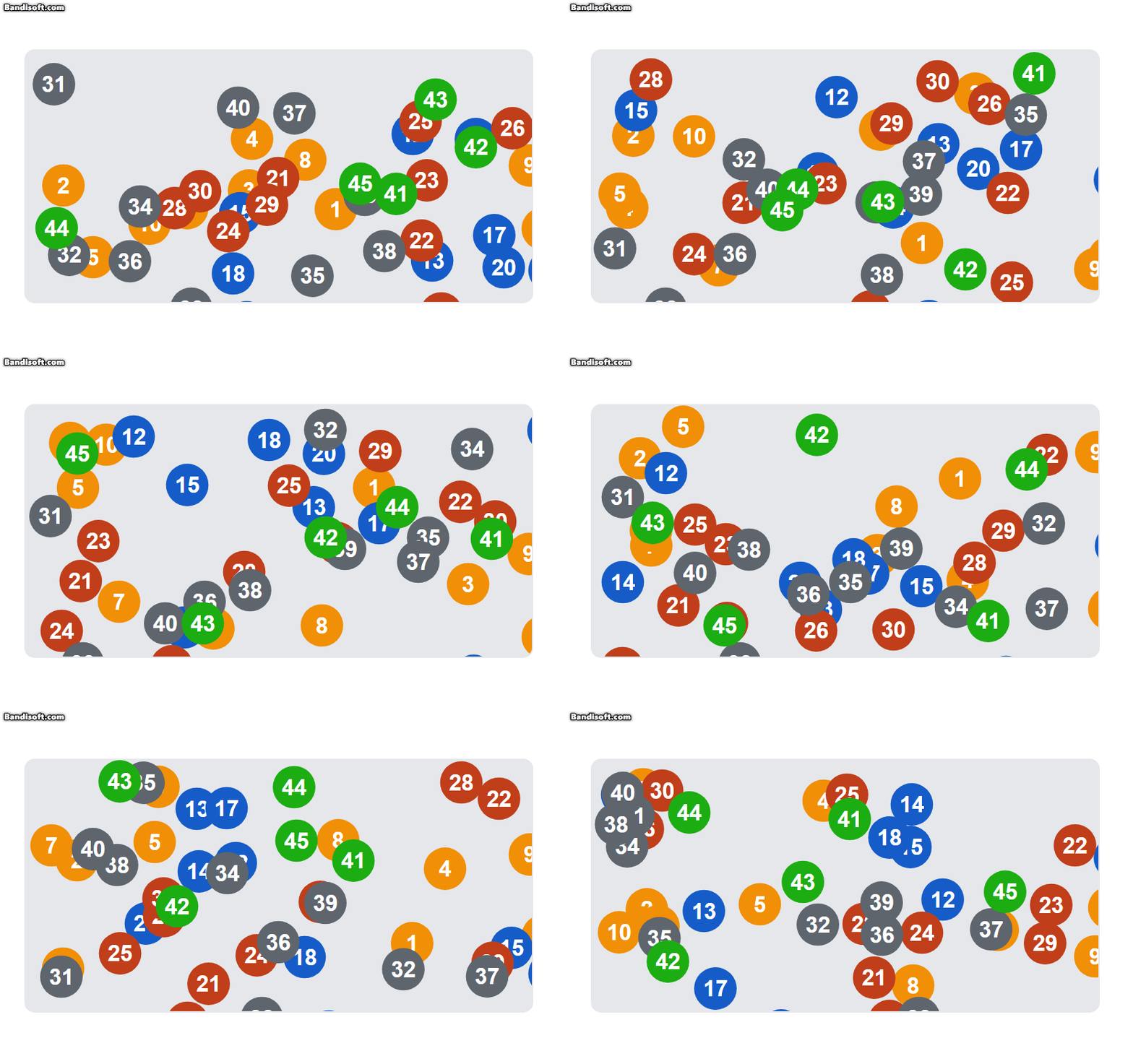
추후 이 애니메이션은 로또 복권 추첨기에서 클릭 시 빨라지거나 느려지는 효과를 넣어 실제초 추첨이 되는 듯한 효과를 주려고 함
친구가 애니메이션을 개발하는 동안 친구가 만들어둔 코드에 API를 받아오는 부분을 만들어 추가하고 수정하였음.
import React from "react";

interface ButtonProps {
  drawType: "general" | "special";
  nValue: number;
  times: 1 | 5;
  onResult: (data: number[]) => void;
}

function Button({ drawType, nValue, times, onResult }: ButtonProps): JSX.Element {
  const handleClick = async () => {
    let apiUrl = "";
    if (drawType === "general") {
      apiUrl = times === 1 ? "/api/single-draw" : "/api/multiple-draws";
    } else if (drawType === "special") {
      apiUrl = times === 1 ? "/api/draw-limited" : "/api/draw-limited-multiple";
    }

    try {
      const response = await fetch(apiUrl, {
        method: "POST",
        headers: { "Content-Type": "application/json" },
        body: JSON.stringify({ nValue }),
      });
      const data = await response.json();
      onResult(data);
    } catch (error) {
      console.error("API 호출 에러:", error);
    }
  };

  return (
    <div className="button-container">
      <button onClick={() => { handleClick(); }}>1회 추첨</button>
      <button onClick={() => { handleClick(); }}>5회 추첨</button>
    </div>
  );
}

export default Button;
import React, { useState } from "react";
import Header from "../components/Header";
import Button from "../components/Button";
import DropDown from "../components/DropDown";
function DrawPage(): JSX.Element {
const [result, setResult] = useState<number[]>([]); // 추첨 결과
const [drawType, setDrawType] = useState<"general" | "special">("general"); // 추첨 유형
const [nValue, setNValue] = useState<number>(100); // 특수 추첨의 최근 회차
const [times, setTimes] = useState<1 | 5>(1); // 추첨 횟수
const handleResult = (data: number[]) => {
setResult(data); // 결과를 상태로 저장
};
return (
<div className="flex items-center justify-center min-h-screen bg-gray-100">
<div className="w-full max-w-[800px] bg-white shadow-md rounded-lg">
<Header />
<DropDown onTypeChange={setDrawType} onNChange={setNValue} />
<Button
drawType={drawType}
nValue={nValue}
times={times}
onResult={handleResult}
/>
{result.length > 0 && (
<div className="result-display">
{result.map((num, index) => (
<span key={index} className="result-number">
{num}
</span>
))}
</div>
)}
</div>
</div>
);
}
export default DrawPage;import React from "react";
interface DropDownProps {
onTypeChange: (type: "general" | "special") => void;
onNChange: (value: number) => void;
}
function DropDown({ onTypeChange, onNChange }: DropDownProps): JSX.Element {
return (
<div className="dropdown-container">
<select onChange={(e) => onTypeChange(e.target.value as "general" | "special")}>
<option value="general">일반 추첨</option>
<option value="special">특수 추첨</option>
</select>
<input
type="number"
placeholder="회차 입력"
onChange={(e) => onNChange(Number(e.target.value))}
/>
</div>
);
}
export default DropDown;이때까지는 정말 잘 될 것이라 생각하였으나, 내 생각이 틀렸음에 깨닫기까지는 얼마 걸리지 않았음.
그렇기에 1차 병합을 그 다음날 진행하기로 함.
'사이드프로젝트' 카테고리의 다른 글
| [lottery] 추첨치 추첨 애니메이션 추가 및 git 연동 (0) | 2024.12.17 |
|---|---|
| [lottery] 1차 코드 리뷰 및 개발 환경 조정 (0) | 2024.12.13 |
| [lottery] 사이드 프로젝트 2차 회의 (0) | 2024.12.10 |
| [lottery] 사이드 프로젝트 1차 회의 (0) | 2024.12.10 |
| [lottery] 사이드 프로젝트 개요 (0) | 2024.12.10 |